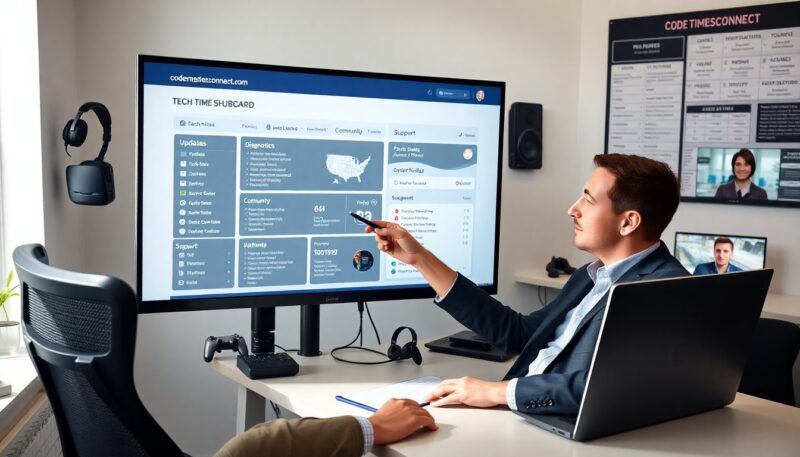
Inside CodemastersConnect Tech Time: Key Takeaways, Tools, and Practical Tips for Devs (2026 Edition)
 Eldimel Golpen
CodemastersConnect Tech Time highlighted new tools and workflows for game and tools developers. The event showed demos, roadmaps, and partner integrations. The coverage focused on engine updates, network services, and CI/CD pipelines. The article summarizes core announcements, lists useful tools, and explains how developers can adopt the changes quickly.
Key Takeaways
- CodemastersConnect Tech Time introduced advanced tools like an optimized UDP network library and updated telemetry pipeline to enhance game development performance.
- Developers can leverage new sample projects, including build scripts and smoke tests, to quickly adopt platform updates and ensure compatibility.
- The event highlighted CI/CD action templates and deployment automation to streamline testing and deployment, reducing risks in live game updates.
- Frontend teams benefit from hot-reload support for UI assets, accelerating iteration cycles for artists and engineers.
- Backend developers should utilize the versioned schema tool to automate data model migrations and maintain live data consistency.
- Joining community channels provides ongoing support, access to plugins, and opportunities for collaboration and contributions within the CodemastersConnect ecosystem.
What CodemastersConnect Tech Time Covers And Why It Matters
Tech news codemastersconnect focused on platform features and developer productivity. The event presented engine updates, cloud services, analytics, and collaboration tools. Speakers explained how each feature supports live games and frequent updates. The session emphasized performance telemetry, matchmaking APIs, and deployment automation.
The event showed integration paths for existing studios and indie teams. Presenters gave concrete timelines and compatibility notes for major engines and CI systems. The roadmap described phased rollouts and backward compatibility for server modules. The team clarified support windows and how they will handle deprecated APIs.
The coverage matters because faster iteration reduces downtime and shipping risk. The event offered reproducible demos and test harnesses. Engineers learned how to collect metrics, isolate regressions, and roll back with minimal impact. The team also addressed common pain points, such as state synchronization, latency spikes, and schema migration.
Attendees gained access to starter kits and sample projects. Those resources include build scripts, monitoring dashboards, and example queries. The materials let teams reproduce demos and run smoke tests. The event made the tools available under clear licensing and included guidance for scaling from prototypes to production.
Top Announcements, Demos, And Tools Showcased
CodemastersConnect Tech Time announced an optimized network library for UDP and an updated telemetry pipeline. The team demonstrated lower variance in latency and reduced packet overhead. They presented benchmark data from staged matches and from controlled lab tests. The demos compared previous builds with the new library under identical load.
The event showed a cloud-native backend template and an edge routing layer. The template includes autoscaling rules, health checks, and cost controls. The edge routing layer improved player locality and cut round-trip time on regional traffic. Presenters shared sample deployment manifests and a runbook for scaling events.
Tooling updates included a debug overlay, hot-reload support for UI assets, and a versioned schema tool for live data. The debug overlay lets developers inspect entity state at runtime. Hot-reload shrinks iteration loops for UI artists and front-end engineers. The schema tool prevents data model drift and automates migration steps.
The presenters introduced a plugin marketplace and CI action templates. The marketplace lists community plugins for matchmaking, voice, and anti-cheat. The CI templates integrate with common pipelines and add preflight checks that run tests and linting. The event also revealed partnership plans for third-party analytics and server hosting.
How Developers Can Apply What They Learned — Tutorials, Workflows, And Next Steps
Developers should start by cloning the sample projects that the event published. The samples include step-by-step README files and reproducible scripts. Engineers can run the provided smoke tests to confirm their environment matches the demos. The documentation lists required tool versions and environment variables.
Teams should adopt the new network library in a feature branch. They can run A/B tests by routing a fraction of traffic to the branch. The branch strategy lets teams measure latency and error rates without risking all users. The documentation gives recommended metrics and thresholds to watch during tests.
For CI and deployment, teams should apply the provided action templates. The templates add automated tests, build caching, and deployment gates. The gates prevent untested code from reaching live services. Teams should also enable the telemetry pipeline and link it to dashboards. The dashboards surface slow queries and memory growth early.
Frontend teams can use hot-reload to cut asset iteration time. Artists and UI engineers can preview changes without full builds. Backend teams should use the schema tool to lock schemas before migration windows. The tool creates migration scripts and validates them against staging data.
Next steps include joining the community channels that the event opened. The channels offer troubleshooting threads, FAQ documents, and community plugins. Developers can contribute small fixes and earn visibility in the plugin marketplace. The event team promised periodic updates and public issue trackers for reported bugs.